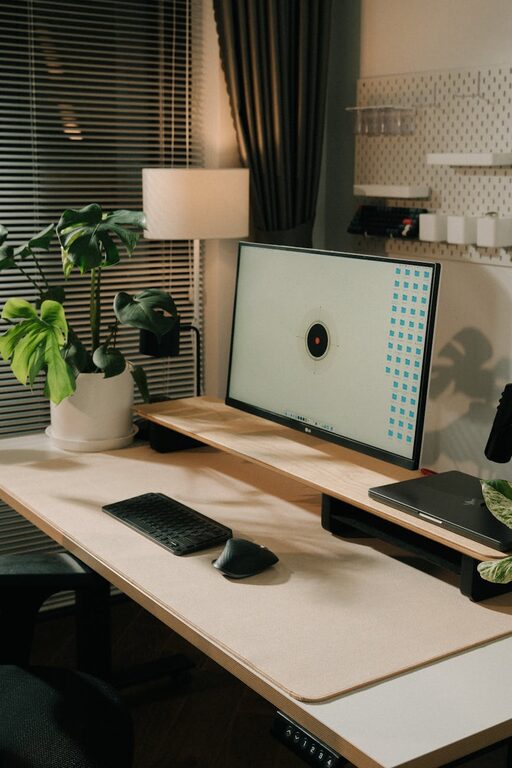
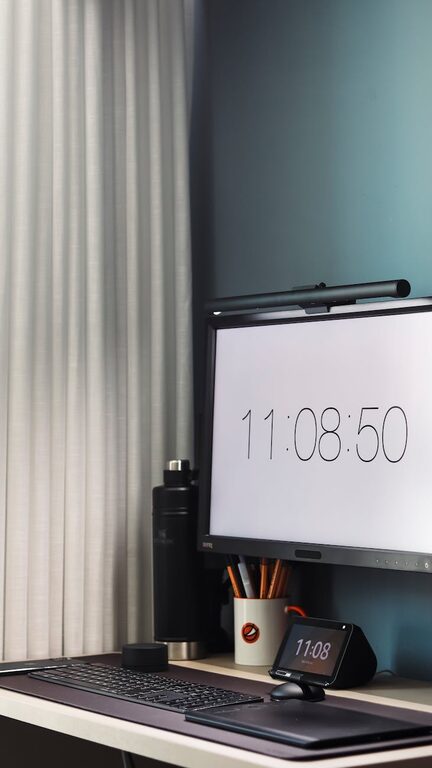
Creating an efficient and organized home office can significantly improve your productivity and overall work experience. When your workspace is cluttered and chaotic, it can be difficult to focus and complete tasks effectively. On the other hand, a tidy, well-arranged environment encourages concentration and reduces stress.
In this post, we will explore simple and practical tips to help you organize your home office in a way that boosts your productivity.
1. Choose the Right Location for Your Home Office
Picking an appropriate spot for your workspace is the first step towards an organized and productive office.
– Quiet Area: Find a space away from distractions such as TV noise or household traffic.
– Natural Light: Whenever possible, work near a window to take advantage of natural light, which can help you stay alert.
– Comfortable Space: Ensure you have enough room for your necessary equipment and some personal touches to make it inviting.
2. Declutter Regularly
A cluttered desk can overwhelm your mind and hinder concentration.
– Daily Tidy-Up: Spend 5 minutes at the end of each workday clearing paperwork and putting away items.
– Sort Items: Create piles for things you need to keep, shred, or recycle.
– Limit Non-Essentials: Keep only the tools and supplies that you use daily within arm’s reach.
3. Use Functional Storage Solutions
Organizing your supplies and documents properly prevents mess and helps you find things faster.
– Desk Organizers: Use trays, pen holders, and small containers to keep items like pens, paper clips, and sticky notes orderly.
– Shelves and Cabinets: Store books, binders, and files on shelves or in filing cabinets to free up desk space.
– Label Everything: Label containers and folders so you know exactly where to look for materials.
4. Set Up an Efficient Desk Layout
How you arrange your desk impacts your workflow and comfort.
– Ergonomic Setup: Position your monitor at eye level and keep your keyboard and mouse within a comfortable distance.
– Keep Essentials Handy: Place frequently used items where you can reach them easily to minimize distractions.
– Manage Cables: Use cable clips or covers to keep cords untangled and out of sight.
5. Create a System for Managing Paperwork
Paper clutter is one of the biggest productivity killers.
– Inbox and Outbox: Designate trays or folders for incoming and outgoing documents.
– Go Digital: Scan important papers and save them on your computer or cloud storage to reduce physical copies.
– Regular Review: Schedule weekly sessions to review and file paperwork, keeping the stack under control.
6. Personalize Your Space Thoughtfully
A personalized workspace can make work more enjoyable without becoming cluttered.
– Add Plants: Small plants add freshness and improve air quality.
– Inspire with Art: Hang motivating artwork or photos that keep you positive.
– Minimal Decor: Keep decorative items simple and limited to avoid distractions.
7. Plan Your Time and Tasks Visually
Visual organization complements physical space.
– Use a Whiteboard or Corkboard: Track to-do lists, deadlines, and important reminders.
– Calendars and Planners: Keep a calendar visible to stay on top of appointments and deadlines.
– Digital Tools: Consider task management apps to organize your projects and collaborate easily.
8. Maintain Your Organized Office
Long-term productivity depends on maintaining your organized space.
– Set Weekly Maintenance: Dedicate a block of time each week to tidying and organizing.
– Adjust as Needed: Be flexible and tweak your setup if you find something isn’t working.
– Create Habits: Develop routines such as cleaning your desk before stopping work to keep clutter at bay.
—
Organizing your home office doesn’t have to be overwhelming. By implementing these simple tips, you can create a clean, comfortable, and efficient workspace that promotes focus and productivity. Remember, the key is consistency—a well-maintained home office is a foundation for successful workdays.